

Gift Card
- Regular price
-
¥5,000 - Regular price
-
- Sale price
-
¥5,000
Couldn't load pickup availability
Korean Market Gift Card: Give the gift of choice to someone special
Are you unsure what to give for a birthday, anniversary, or small celebration? In such cases, the "Korean Market Gift Card" is highly recommended! It's a gift that recipients will truly appreciate, as they can choose exactly what they want from all the products available at the Korean Market.
How to Use Your Gift Card
1. Gift Code Arrives by Email: After purchase, your gift card will be sent as a "gift code" via email. The email will also include detailed instructions on how to redeem the code.
2. Easy Redemption: Simply enter the gift code from your email at checkout!
Usage Information
Valid for All Korean Market Products: Can be used for all products sold on this site.
No Fees: There are no handling fees, so the full amount you gifted can be used for shopping.
Expiration Date: Please use within 6 months from the date of issue.

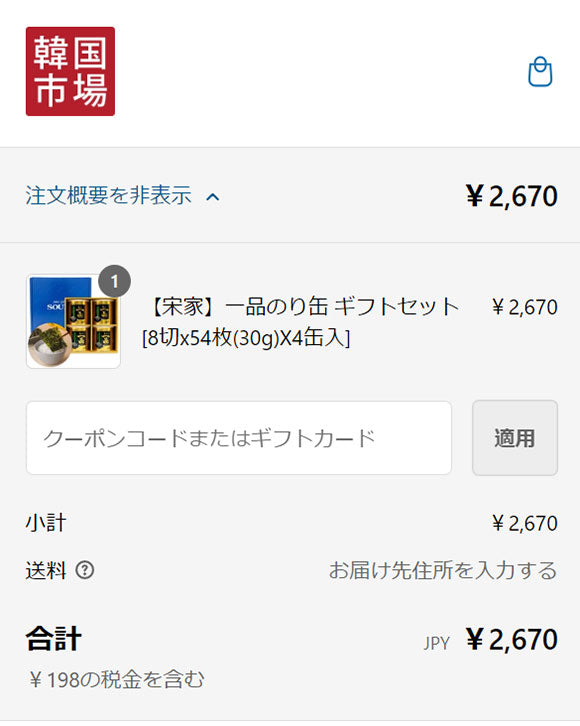
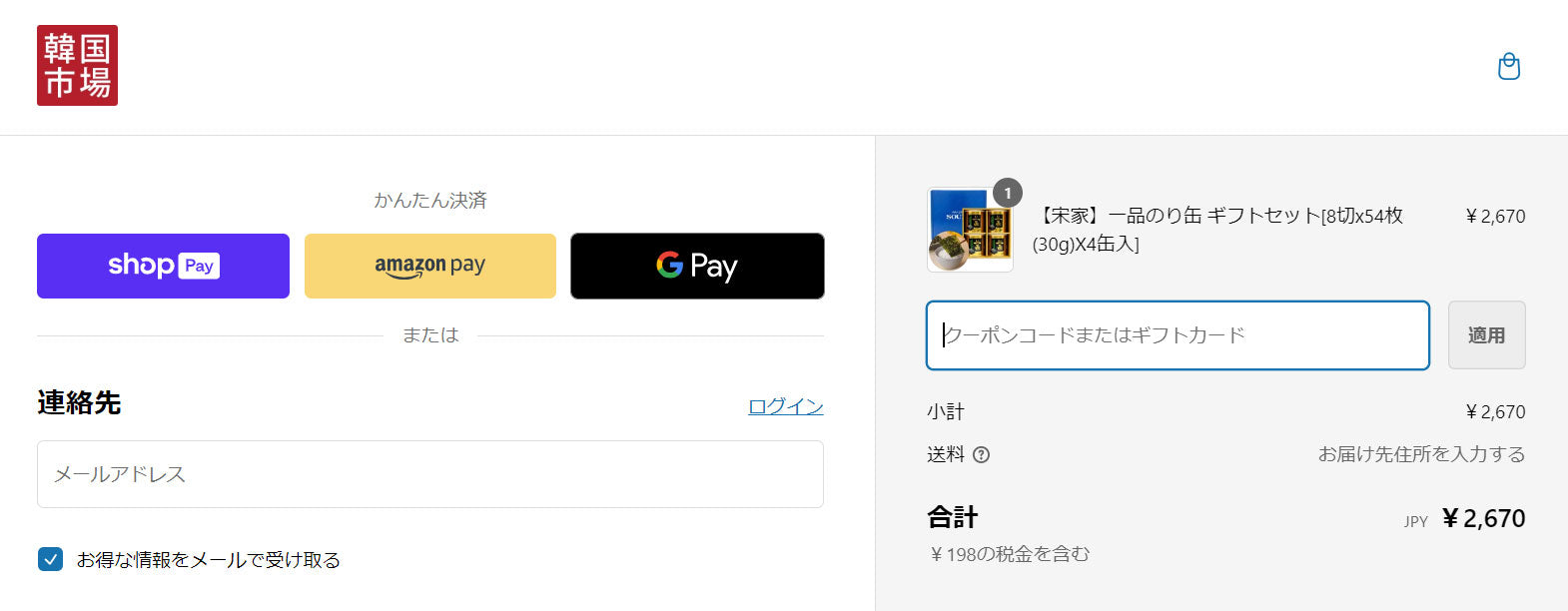
How to use your gift card
Enter the code at checkout
Select items on the Korean Market online store and proceed to checkout. On the payment method selection screen, there will be a field to enter your gift card code; please enter the code accurately there.
-

Just enter the gift code and you're good to go.
After your purchase, the gift card will be sent via email as a "gift code." The email will also include detailed instructions on how to redeem the code. Simply enter the gift code from the email at checkout!
-

Automatic calculation
Once you enter the code, the gift card amount will be automatically deducted from your total. If there's an remaining balance, you can pay it using another payment method.
-

Can be sent as a gift
It's perfect as a gift for friends, family, boyfriends, girlfriends, or anyone special, whether it's for a birthday, anniversary, or a small celebration. The recipient will surely be delighted as they can choose their favorite items from the wide selection at the Korean market.


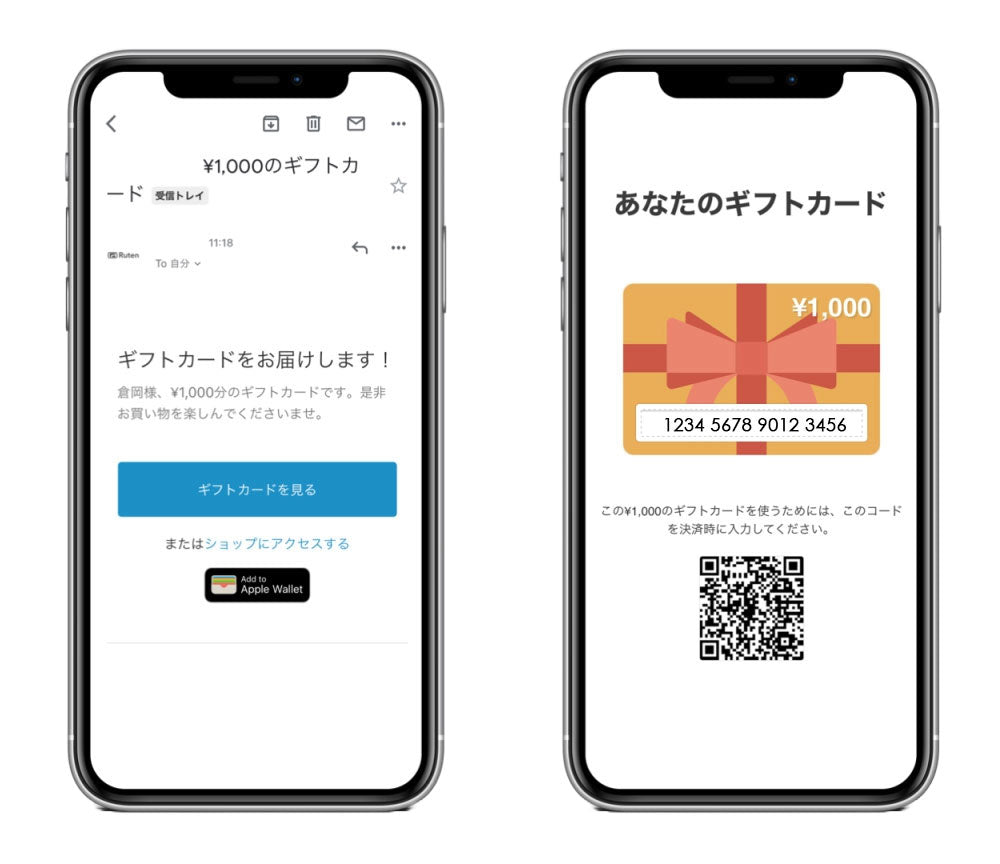
The gift card contains a QR code and a code.
Enter the code at checkout.
You can also add it to Apple Wallet.